New quotas use Audience Quotas (
version: "v2") on /quotas. This page is the V1 API on /quota: create, retrieve, update, and delete. Delete removes the quota that is configured, V1 or V2.GET /v1/projects/{projectId}/quotas still returns the body on this page when the stored quota is V1. GET /v1/projects/{projectId}/quota is the V1 read. A project with no V1 quota, including a project that only has a V2 quota, returns 204 No Content on /quota. The V2 read stays on /quotas, which returns 200 and { version: "v2", groups: [] } when the project has no quota.
PUT /v1/projects/{projectId}/quota is a V2 alias of PUT /quotas. A V1 body sent there is a 400. Create a V1 quota with POST.
Quota Categories
The following demographic fields are supported in v1:
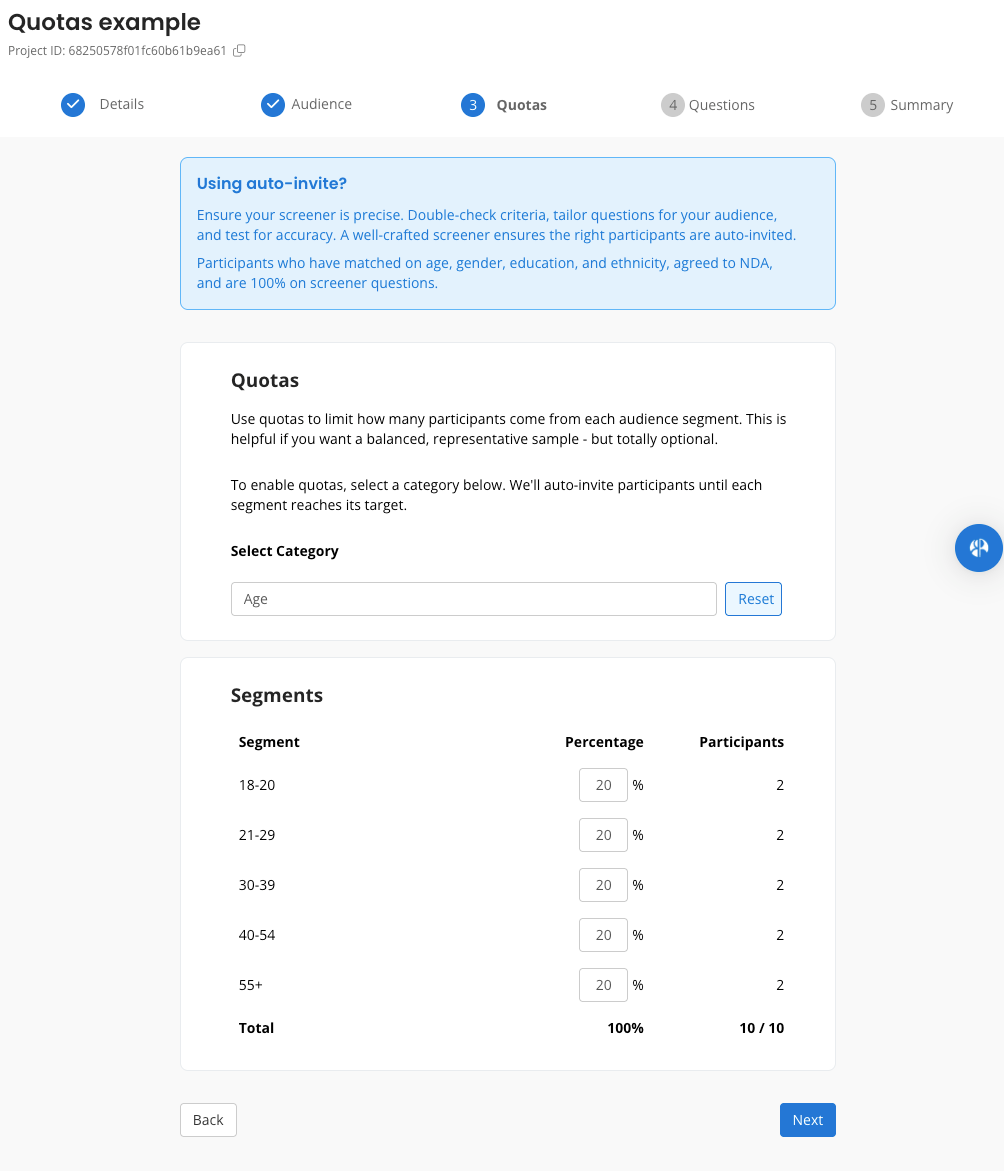
Those cells are examples. A segment
value has to belong to the category. Also accepted: gender nonbinary, transmale, transfemale, prefernottoanswer; age 40-54, 55+; ethnicity asianpacificislander, whitecaucasian, middleeastern, multipleethnicity, prefernotdisclose. N/A is excluded. Location excludes all (worldwide).
Each percentage is a whole number from 0 to 100, and the segments sum to 100. totalTarget is the project’s number of participants, and it has to be at least the number of segments.
Eligibility Constraints
- Project methodology must be
unmoderatedStudy,survey, ordiaryStudy - Auto-invite must be enabled
- Quotas must be defined before the project is published and can’t be edited once the project has been published (the project has to be a draft)
Sample Workflow
- Create an unmoderated study, survey, or diary study with auto-invite enabled via POST /v1/projects.
- Define quotas with POST /v1/projects/{projectId}/quota.
- Publish project - we will match and invite participants based on your desired quota segments.
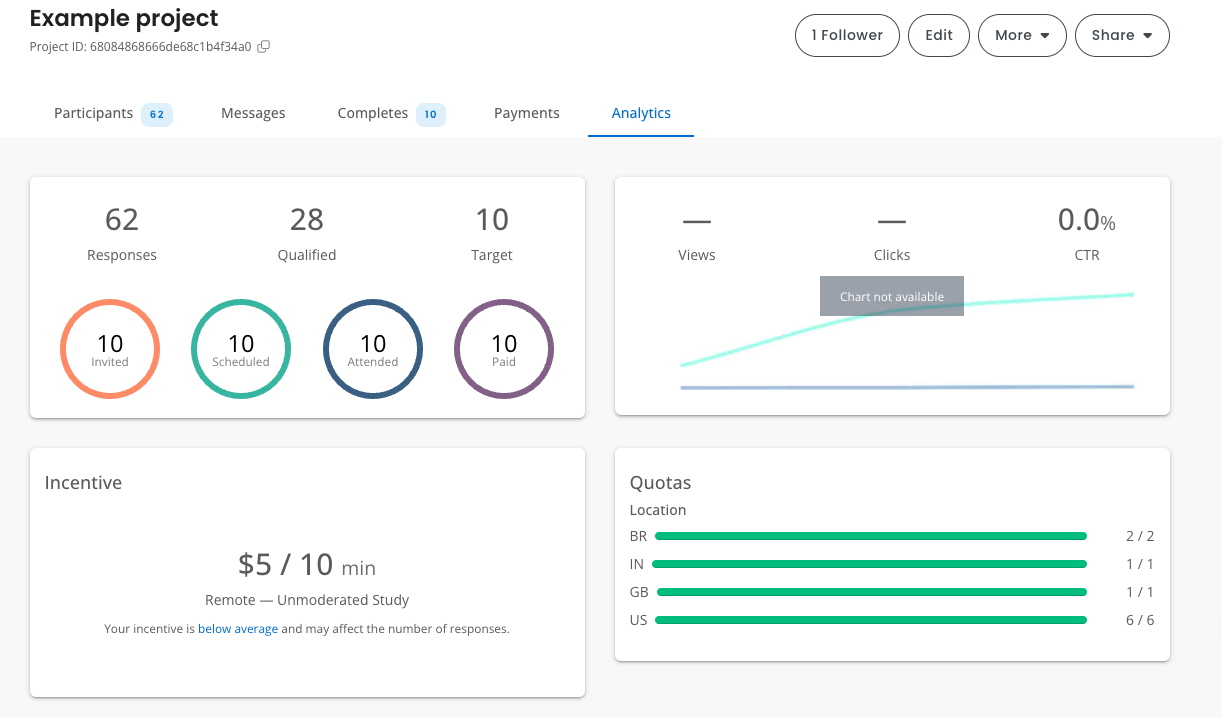
- Monitor fill progress with GET /v1/projects/{projectId}/quota
Creating quotas
POST /v1/projects/{projectId}/quota Returns201. A second POST for a project that already has a V1 quota returns that quota.
totalTarget comes from the project. The platform assigns segment ids "1", "2", and so on. progress is a map of those ids. status is IN_PROGRESS or FILLED.
Monitoring quota fill rates
GET /v1/projects/{projectId}/quota Returns 204 No Content if no V1 quota has been set.Updating quotas
PATCH /v1/projects/{projectId}/quota Sendversion and criteria. The segments replace the ones on the quota, and the target counts are recalculated from the project’s number of participants. Returns 200 and the same body as GET. Returns 404 when the project has no V1 quota.
Deleting quotas
DELETE /v1/projects/{projectId}/quota Removes the quota configured on the project. Returns204. A project with no quota also returns 204.
A V1 quota is removed while the project is a draft. A project that is no longer a draft returns 400.
A V2 quota is removed including after publish, and Quotas V2 does not have to be enabled for the organization.
DELETE /quotas removes a V2 quota. While a V1 quota is stored, that route returns 409, or 403 when Quotas V2 is not enabled for the organization.
References
Example of how quotas are created via the Respondent Researcher Platform